Why We Test: Bridging the Gap Between Design and Reality
Jaye Ahn
·
January 7, 2026
In the world of physical product design, the pace is deliberate by necessity. You cannot patch a molded handle or push a firmware update to fix an uncomfortable grip. Every refinement, from the geometry of a housing to the rhythm of an LED sequence, requires rounds of tooling, iteration, and hands-on evaluation. Hardware demands intentionality. It demands rigor.
This is where User Experience research takes on a different weight. For physical products, research is not just validation but a substrate of innovation. In-person testing reveals nuances you cannot uncover on a screen: ergonomics, behavior patterns, and subtle emotional cues. These insights shape form, function, and ultimately the success of the product. At Whipsaw, this research becomes a compass that guides designers, grounds partner teams, and gives the entire development process the confidence it needs to move forward.
What is qualitative research, and why do it?
At its core, user research is the systematic investigation of the people who use our products. It moves beyond market demographics to understand behaviors, needs, and motivations, providing the essential context that transforms a good idea into a usable product. Within this discipline, methods exist on a spectrum between Quantitative (the data of "how many") and Qualitative (the insight of "why"). The specific objectives of a project determine where we land on that spectrum.
Qualitative research is the primary engine of design innovation. Its objective is to understand a phenomenon, such as a specific user behavior or a nuanced human experience, and explain why it occurs. Because qualitative studies utilize smaller sample sizes, we can go deep rather than broad, treating every session as an in-depth interview to dig into the user's mental model.
However, "qualitative" does not mean "casual." At Whipsaw, we flex our methodology to incorporate the rigor of quantitative data capture and Human Factors engineering. For example, a formative usability test for a medical device requires a highly structured methodology that documents every task to identify potential use errors and risk factors. Whether we are conducting a loose exploratory interview or a strict ergonomic task analysis, the specific rigor of the method is always hinged on the research objectives.
Qualitative research for physical products goes far beyond asking users what they like or dislike. It is an exercise in close observation. We watch for subtle cues and unspoken behaviors that reveal how people think, move, and navigate their physical environment. These insights often surface the truths that later crystallize design requirements.
Every research engagement begins with clear objectives. In hardware development, research plays several strategic roles, including three that are essential:
Checking Assumptions: Every design process starts with a hypothesis. We imagine how a user will grip a handle, approach a control, or interpret an icon. Research is how we measure the distance between our intentions and the user’s lived reality.
Uncovering Latent Needs: Users rarely describe what they truly need. Their behavior speaks for itself. Research reveals the workarounds, frictions, and accepted inconveniences that have quietly become part of the job. These patterns expose deeper mental models that inform better solutions.
De-risking Investment: Physical tooling is a significant commitment. Discovering an ergonomic flaw or usability issue late in the process can be costly. Early qualitative research reduces that risk by identifying critical problems while change is still possible and efficient.
How we research physical devices
1. The Strategy of Fidelity
Once we establish our research goals, one of the first decisions we make is determining the fidelity of the prototype. It’s a delicate balance, since the prototype's finish dictates the type of feedback we receive. We strategically set the fidelity of the testing prototype to receive the most appropriate feedback to achieve the study’s goals.
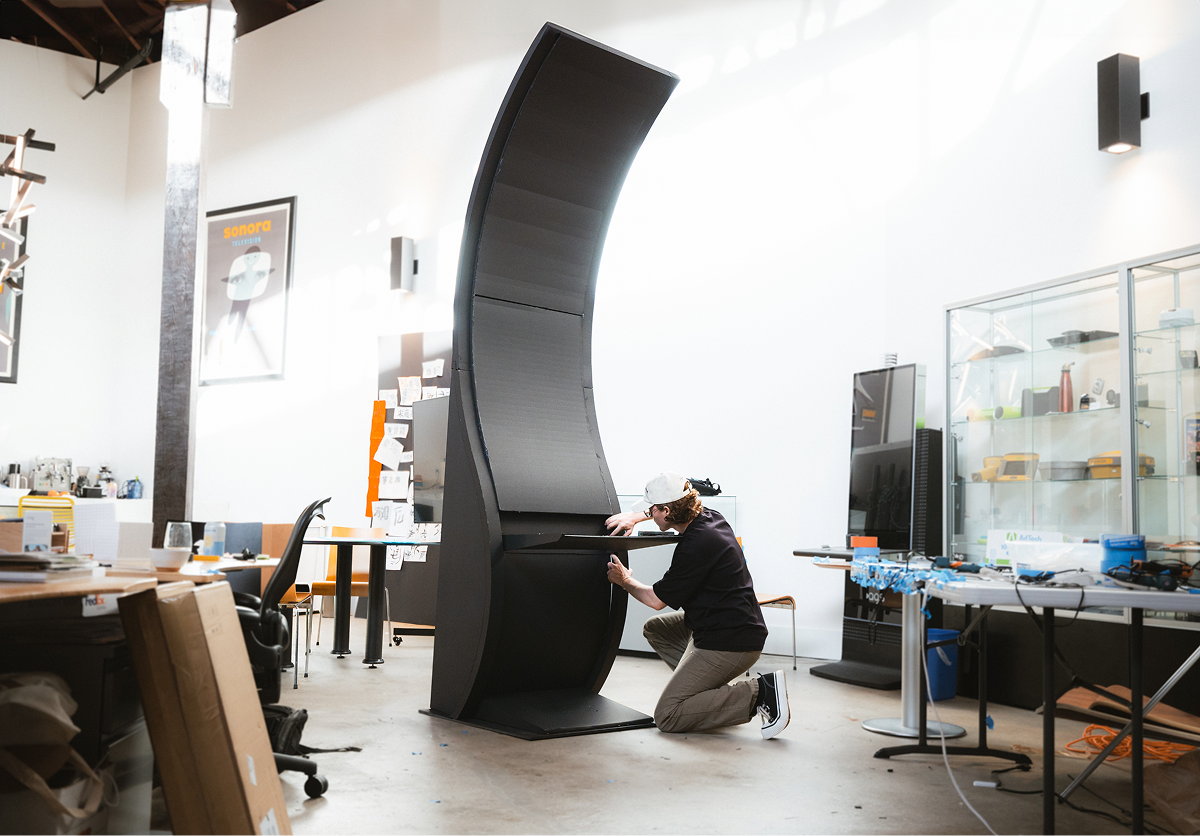
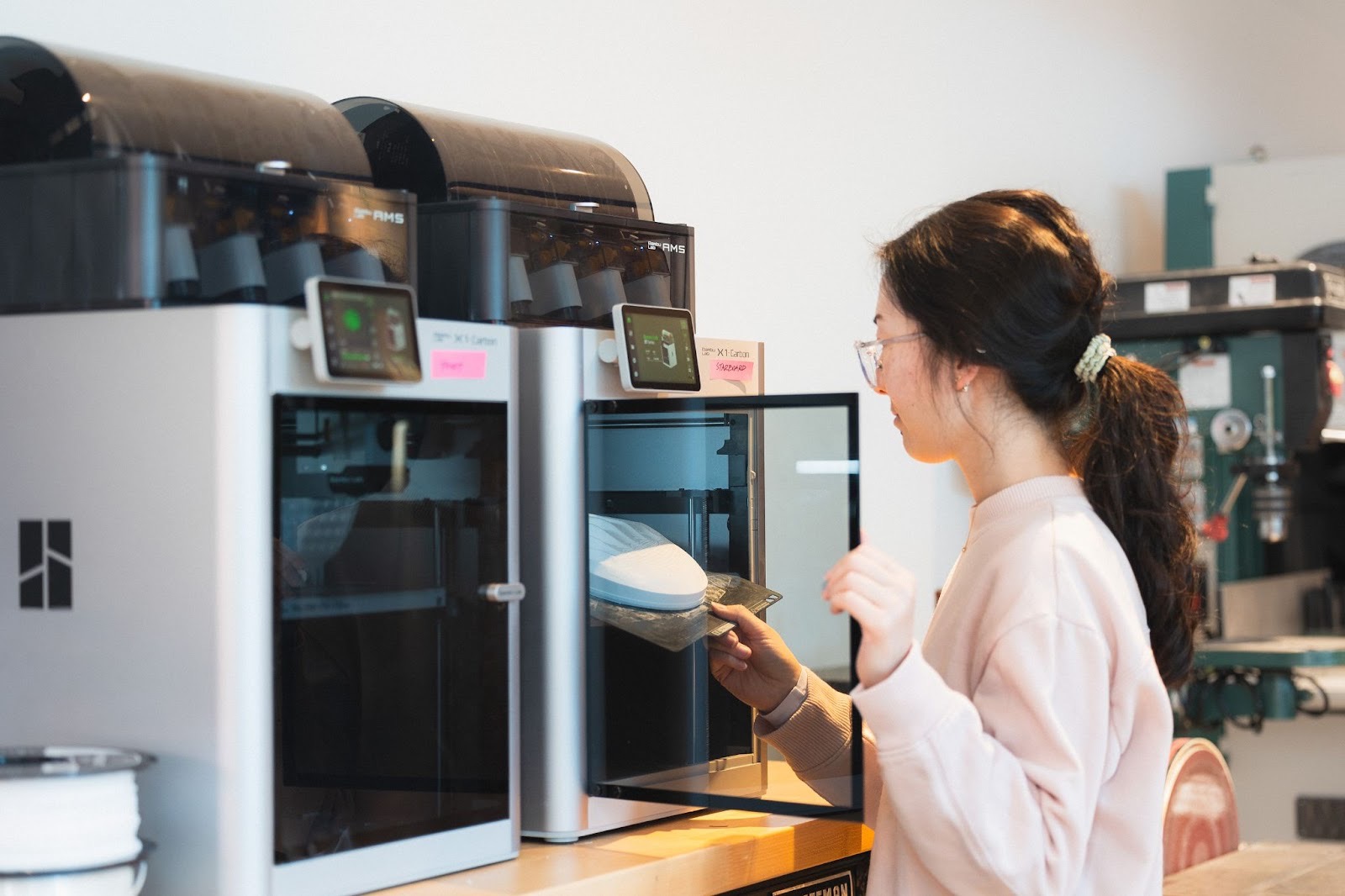
Low Fidelity: When a product looks unfinished, users feel invited to be honest and provide more critical feedback. They understand that the design is still in flux and that their input can help shape the final look. We build rough prototypes in foamcore or 3D-printed materials to convey core design features while still inviting feedback.
Even with a low-fidelity prototype, we come up with creative ways to mock the device's interactions. Using a method called “Wizard of Oz prototyping,” we can fake mechanical interactions with manual tricks that would otherwise be costly to reproduce. Examples include mock-ups of hinges, lights, and doors, with a researcher behind the scenes.
High Fidelity: A higher-fidelity prototype is necessary because the design is at a more mature stage and is almost ready to go into manufacturing. This is the moment to test visceral emotional responses to textures, materials, and color, without questioning the core design concept. Does the device look and feel trustworthy? Is the texture soothing? At this point, the team can do a final gut check of the design decisions, and we may present multiple high-fidelity prototypes for users to compare side by side.
2. Setting the Scene: Testing for Environmental Validity
A medical device might perform perfectly on a clean, well-lit conference room table. But how does it perform in a noisy laboratory while wearing thick protective gloves? Physical products live in the messy real world, with many interactions. To collect more accurate data, we look for environmental validity.
Simulate Stress: During testing, we try to replicate the constraints of their environment as best as possible. When testing medical products, for example, we ask participants to wear gloves and recreate typical lab conditions. If it’s unlikely to simulate users’ typical context, we encourage users to talk out loud as much as possible to narrate what’s going on in their heads as they interact with the product, which can reveal what they expect to see and hear in their regular context.
The Intersection of Physical x Digital: Products rarely exist in isolation; they often come with physical tools paired with digital interfaces. During research, we look for friction points between the two. How do users’ hands move to interact with a physical touchscreen that controls a larger device? What other artifacts would they be holding in a real-world situation that might hinder their actions?
Mini Case Study: BioTech Diagnostics We conducted formative testing for a complex clinical instrument to prepare for FDA submission, rigorously evaluating physical ergonomics, device learnability, and UX/UI of a digital screen component. We recruited several clinical lab scientists from the Bay Area who were willing to come in person to simulate our prototype.
As a result, the team prototyped interactive foam models with embedded touchscreens and simulated a realistic lab workflow to help participants immerse themselves. This physical context was crucial; it helped the client visualize the device's accurate scale, allowing the team to clarify scale and recognize ergonomic strain. Capturing these human factors early helped set the stage for the next phase of the design process.
3. Watching and Listening: Observing Users in Action
Actions speak louder than words. During a research session, participants often tend to be polite and hold back harsh feedback. Participants can also run out of things to say or feel research fatigue during a more extended session. This is why we look for non-verbal cues that can belie what participants say out loud. We look for small cues that can only be observed in an in-person session to better understand the design's limits.
Ergonomics: How naturally do users interact with the product? Do they feel like it’s comfortable to grip in one hand? Or do they need two hands? If users have to stand to use the device, at what height do they start bending down to engage with the product? Research can capture ergonomic challenges by simply observing how users intuitively interact with the design.
Attention and gaze: Where do people look to see what’s happening with the device? Following the user's gaze can say a lot about what information is essential and how users balance multiple channels of information. Sometimes, participants may look because they are expecting to see something that does not yet exist. What information were they expecting, and how does that influence the product experience?
Notes about physical interactions can reveal a tremendous amount about a user's mental model and can even contradict what they are verbally telling us.
Mini Case Study: Consumer Health Whipsaw conducted two qualitative tests to engage in an iterative cycle of design, testing, and refinement for a therapeutic wearable device. The goal was to align the physical form, such as weight, texture, and size, with the emotional reality of users managing pain. We recruited participants with specific chronic pain who were willing to try prototypes of the wearables.
The first study revealed that users experiencing pain have heightened sensitivity, leading them to prefer "softer" design features and interactions. Crucially, the study established baseline findings on which mechanisms remain the most secure across different body parts. This insight established the device's base form for the next round of testing. With this foundation set, we moved to higher-fidelity prototypes to evaluate an additional feature and further gauge users’ willingness to this therapy.
4. Making Sense of Mess: Synthesizing Research
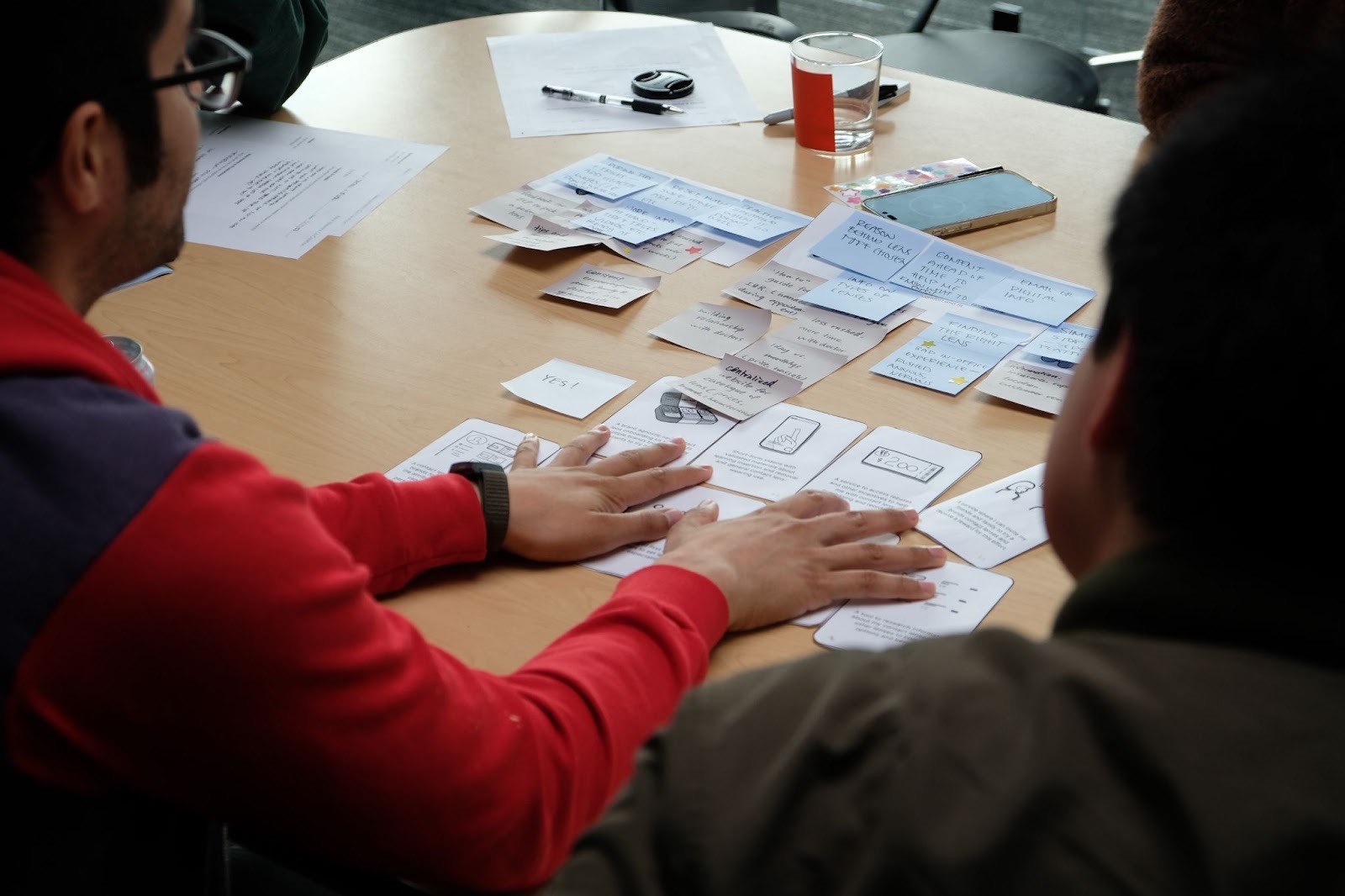
Qualitative research generates a massive amount of unstructured data: hours of video, pages of notes, and dozens of photos. As researchers, it’s our job to identify a clear through line across all documentation. We use affinity mapping to turn chaos into direction. By clustering observations into themes, we move from individual quotes to deeper insights. From synthesis, the team can:
Turn Observations to Design Principles: We translate raw data into actionable rules and feature hierarchies, clearly distinguishing between "must-haves" and "nice-to-haves" to guide the trade-offs in the next iteration. We also pinpoint critical ergonomic issues and usability problems to ensure major design flaws are addressed in the next iteration.
Refine User Archetypes: Often, research reveals new insights into the target users. We uncover distinct habits associated with specific demographics, such as how a novice may rely on visual cues and how an expert user may rely on muscle memory. This allows us not only to tailor the product to accommodate different behavioral groups but also to align future design decisions based on knowledge of how different users behave.
Bridge the Empathy Gap: By curating specific video clips and user quotes, we provide our partners with undeniable proof of user behavior, moving stakeholders from abstract data to a shared understanding of the problem.
Designing for the mind and body
Qualitative research is the bridge between a designer’s intent and a user’s reality. This process does more than validate a design; it builds confidence – not only for designers, but also for stakeholders and even the end user. Research can help mitigate the high risks of hardware development by identifying ergonomic failures and mental model mismatches before continuing the design process.
Build with Certainty
Whether you are validating a novel concept or refining a tried-and-true product, the most dangerous thing a team can do is guess. At Whipsaw, we’re always pushing to ask the right questions to validate our designs fully. If you are looking to uncover these insights and de-risk your next product, we’d love to help you explore those questions.
Jaye is an Experience Designer at Whipsaw, working across design, research, and strategy to create thoughtful, human-centered products. With a background in HCI and design, she enjoys translating complex insights into meaningful and intuitive experiences.






.svg)
.svg)